
You needed a functional website for your business. You got a customized site. The developer said, “You’re all set,” sent a final invoice, and disappeared. 2 months later, a plugin update crashed the homepage. 4 months in, the contact form has been broken for weeks, and nobody has noticed. 6 months after launch, the site loads like it’s running on dial-up.
To avoid all this headache, you need website maintenance services. But most business owners sign a maintenance plan without understanding what’s in it, what their site specifically needs, or how to tell a good provider from one that profits from the confusion.
This post breaks down what maintenance covers in practice, what your business type requires, and how to evaluate providers before signing anything.
What Website Maintenance Services MUST Cover
You do not need EVERYTHING to be taken care of. There are some ‘essentials,’ in website management service, and some are just add-ons that may or may not deliver value depending on your situation.
The distinction matters because it’s the difference between paying for what keeps your site running and paying for what pads an invoice.
The Non-Negotiables Every Business Website Needs
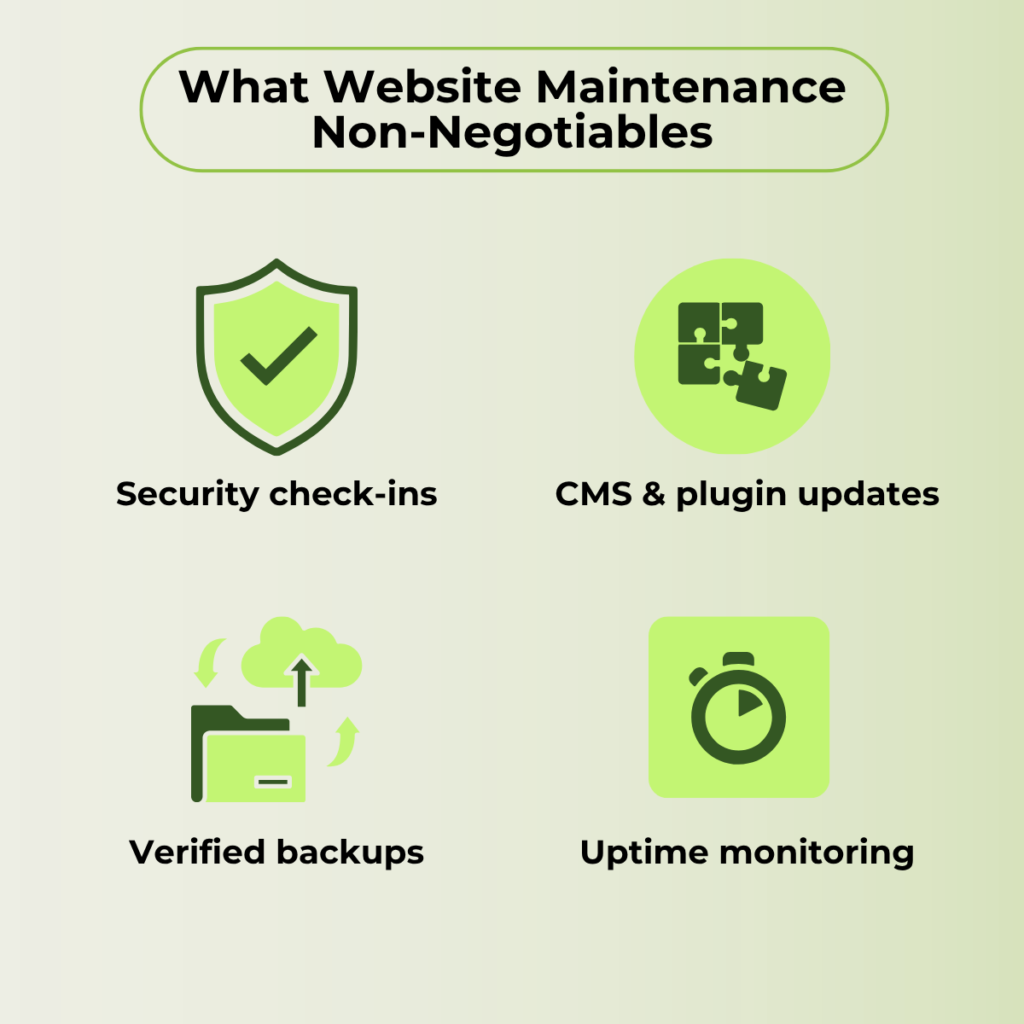
There are 4 things that you can’t negotiate when it comes to website maintainace.
- Regular Security Check-ins
If you ghost your site after development, you’ll face some security vulnerabilities in your CMS, plugins, and server environment. This could make your site hackable and you might loose your important data. Outdated CMS installations account for the majority of compromised websites.
- CMS and plugin updates
You need to regularly chec on your CMS & plugin updates. That’s where you need an expert who know what plugins to update, keep or uninstall. Someone who can configure plugin conflicts, theme incompatibilities, and broken functionality.
- Regular backups with tested recovery
It protect you from catastrophic loss. Many providers run automated backups, but never verify that those backups restore correctly. A backup that fails during recovery is not a backup.
- Uptime monitoring
You need a manager to catche outages before your customers do. If your site goes down at 2 AM and nobody checks until 9 AM, that’s 7 hours of access lost for anyone trying to reach you.
Performance and Speed Work That Compounds Over Time
Site speed isn’t a vanity metric. It’s a ranking factor, a conversion factor, and a cost factor. A faster site serves pages more efficiently, which can reduce hosting costs over time.
The core performance work includes image compression, browser caching, CDN configuration, and database optimization. None of these is a one-time task. As you add content, products, or pages, the performance baseline shifts. Monthly tuning keeps it where it should be.
Think of this less as “maintenance” and more as a compounding investment. A site that loads in under two seconds converts measurably better than one that takes four.
[Read about PageSpeed on Google official documentation]
Content Updates, Bug Fixes, and the Small Stuff That Adds Up
Blog management, broken link repairs, form testing, and minor design adjustments. These are the day-to-day tasks that a website maintenance service should cover. But you need to be very clear about ‘what’ specific changes you’ll need. Mostly minor tasks like text swaps, image replacements, etc., are covered but if you need a new landing page built and your plan only covers minor edits, that’s an extra charge you didn’t anticipate.
Add-On Services That Depend on Your Situation
Monthly SEO audits, analytics reporting, content strategy sessions, and conversion optimization reviews. These are legitimate services. But bundling them into a maintenance plan can inflate the cost without delivering proportional value, especially if the business doesn’t actively use them.
If you wouldn’t pay for that service as a standalone engagement, question why it’s in your maintenance package. A $500/month plan that includes $200 worth of SEO reporting you never read isn’t a better deal. It’s a more expensive one.
Different Businesses Need Different Levels of Maintenance
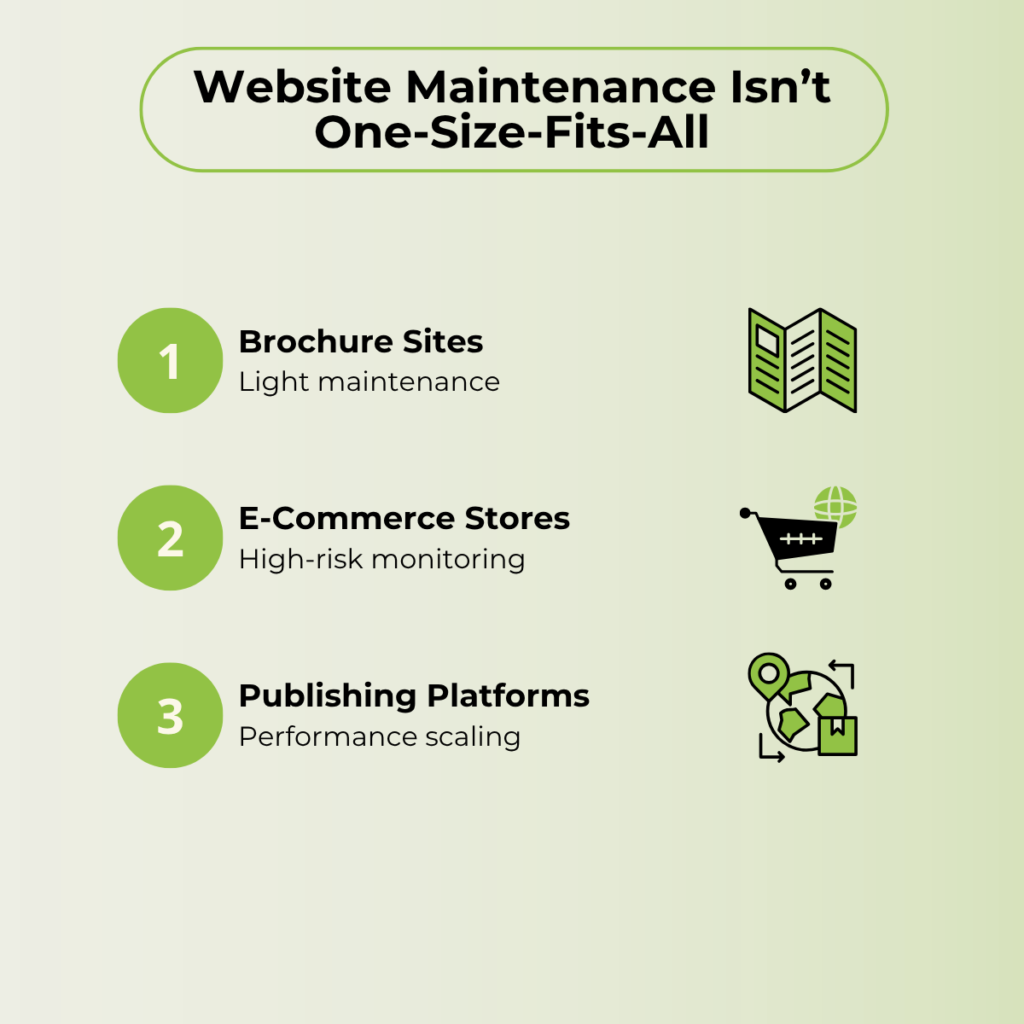
One of the biggest problems with how website maintenance services are sold is the assumption that every site needs the same thing. A five-page brochure site and a 500-product e-commerce store have fundamentally different risk profiles, update frequencies, and maintenance requirements.
In this scenario, the question isn’t “do I need maintenance?” It’s “what kind?“
Static Service and Brochure Websites
If your website is primarily informational (a service business, a consulting practice, a local small business), your maintenance needs are on the lighter end.
Core requirements include security updates, automated backups, uptime monitoring, and occasional content changes. You might update your service descriptions once a quarter and publish a blog post once a month, if that.
Many providers will sell a brochure-site owner the same plan they sell an e-commerce brand with 10x the maintenance load. If you’re paying for daily backups, real-time monitoring, and development hours you never use, the plan doesn’t match your site.
E-Commerce Stores and Transaction-Heavy Sites
This is where maintenance becomes operationally critical. You’re processing payments, managing inventory, storing customer data, and running a checkout flow that has to work perfectly every single time.
Daily backups (some stores need them more frequently), real-time uptime monitoring, payment gateway testing, plugin compatibility checks before every update, and SSL certificate management are all non-negotiable.
A theme update that shifts a button two pixels might seem minor. But if that shift pushes “Complete Purchase” below the fold on mobile, you lose sales until someone catches it.
Content-Heavy Sites and Publishing Platforms
Blogs, media sites, and platforms with multiple contributors face a different kind of maintenance pressure. The site grows constantly. Every new page adds weight, potential broken links, and SEO dependencies.
Maintenance priorities shift toward CMS stability under growing page counts, author permission management, content staging environments, and performance optimization as the database expands. A publishing site with 500 posts needs different database tuning than one with 50.
If your publishing cadence is weekly or more frequent, your maintenance plan should account for the cumulative impact of that growth on performance and stability. Most standard plans don’t.
What Separates a Reliable Provider from One That Just Sends Invoices
You can’t predict what kind of issues you would be facing with your site next month, so most website management service providers and business owners face conflicts.
Here’s what separates a service provider worth keeping from one worth replacing.
You Should Have Full Access to Your Own Website and Hosting
If a provider won’t give you admin credentials to your CMS, hosting account, or domain registrar, that’s not a “security measure.” That’s dependency by design.
You own the website. Full stop. The provider manages it on your behalf. If the relationship ends, you should be able to walk away with full control of everything you paid for.
Any provider that holds your access hostage is prioritizing their retention over your business interests.
You Should Know Exactly What Work Was Done Each Month
The report doesn’t need to be a 20-page PDF with color-coded charts. It needs to be an honest, clear summary of what was updated, what was fixed, what was monitored, and what needs attention next month.
If your provider can’t tell you what they did, they may not have done much. This is especially common with lower-tier plans that rely on automated scripts. The scripts run, a generic report is generated, and nobody reviews whether anything meaningful happened.
Ask to see a sample maintenance report before you sign. The level of detail tells you a lot about the level of care.
Human Review Should Happen Before Updates Go Live
Automated plugin and CMS updates break sites. It happens regularly. A theme update conflicts with a critical plugin. A WooCommerce update changes the checkout layout. A PHP version bump triggers a fatal error.
A good provider tests updates in a staging environment before pushing them to your live site. This is a non-negotiable question to ask during evaluation. If the answer is “we push updates directly to production,” that’s a provider cutting corners on your live business.
Scope Should Be Defined, Not Assumed
“We handle everything” sounds great until you need something that isn’t covered, and the invoice arrives.The contract should specify what’s included, what triggers additional billing, what the response-time commitment is, and whether unused hours carry over (or don’t). A vague scope is where surprise invoices come from. A clearly defined scope protects both sides. If the provider can’t articulate exactly what’s covered, they either haven’t thought it through or prefer the ambiguity.
Red Flags That Should Make You Walk Away from a Provider
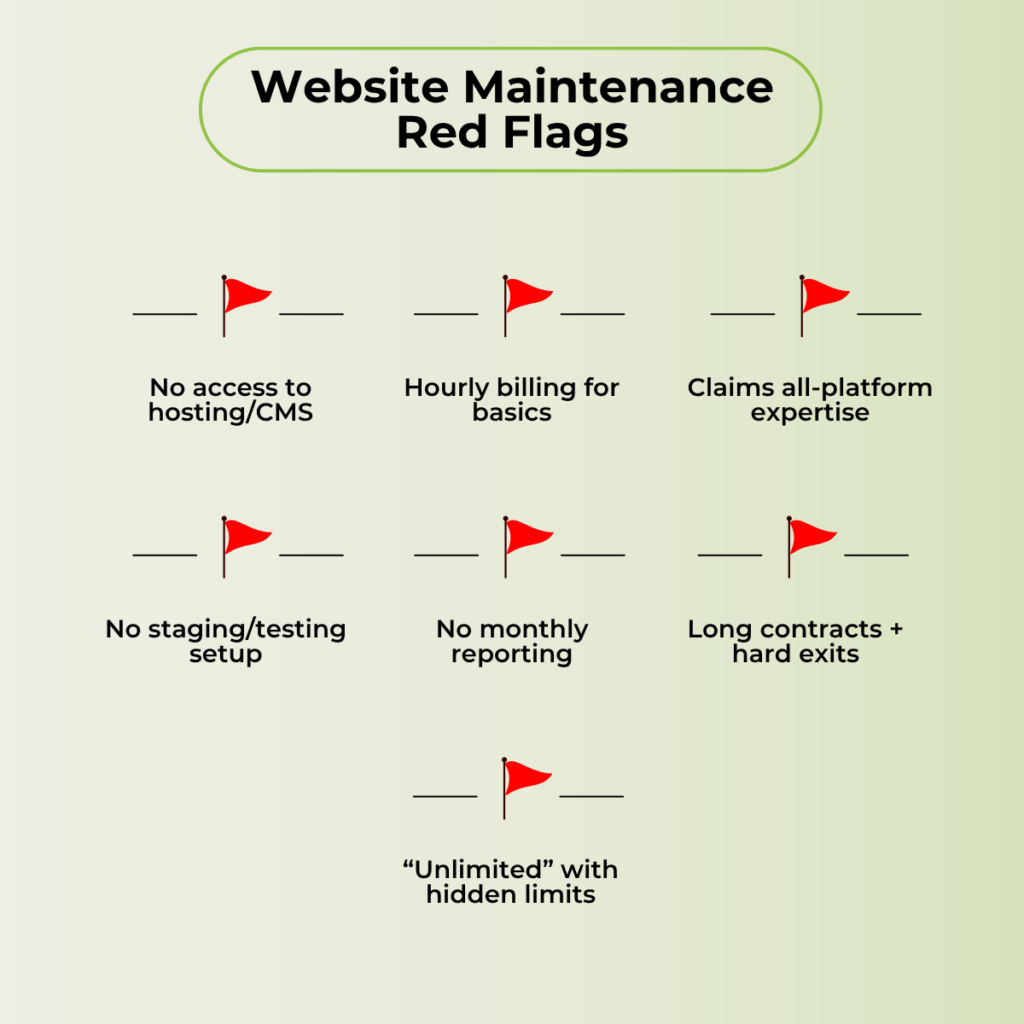
Some providers present well in the sales process and underdeliver after the contract is signed. But here are some warning signs for you;
- They restrict your access to hosting, domain, or CMS admin. You paid for the website. You own it. A provider that controls your access is creating artificial lock-in, not protecting your security.
- They bill hourly for routine maintenance tasks. Hourly billing for ongoing website upkeep creates unpredictable invoices and incentivizes the provider to work slowly. Flat-rate or retainer-based plans with defined scope are the standard for managed website services.
- They claim equal expertise across every platform. “We do WordPress, Shopify, Drupal, Wix, Squarespace, and custom builds” is a red flag. Deep platform expertise is specific. A provider spread across every CMS is a generalist who will miss platform-specific issues a specialist would catch.
- They offer no staging or testing workflow. If updates go straight to your live site, you are in the test environment. One bad update takes the site down with no rollback plan in place.
- They provide no reporting or a monthly summary of work completed. No record of what was done means no accountability. And there may be no work behind the invoice.
- They lock you into long contracts with unclear cancellation terms. Confidence in service quality doesn’t require a 12-month lock-in. Look for month-to-month options or short trial periods with clear exit clauses.
Their “unlimited updates” come with fine print that limits request types, hours, or turnaround. If “unlimited” has conditions buried in the terms, the provider should be transparent about those limits upfront. If you have to dig through the agreement to find them, that’s intentional.
What Drives the Cost of Website Maintenance Up or Down
A single price range for website maintenance services doesn’t help because the cost depends entirely on your specific situation. Instead of guessing where you fall, understand the factors that move the number.
Platform complexity.
A WordPress site running 30+ plugins costs more to maintain than a static HTML site with no CMS. More moving parts mean more potential points of failure and more update cycles to manage.
Site size and page count.
A 200-page site has more surface area for broken links, outdated content, and performance bottlenecks than a 10-page site.
Update frequency.
A site that publishes content daily needs more hands-on oversight than one that updates quarterly. More content means more opportunities for things to break.
E-commerce vs. informational.
Transaction handling, inventory management, and payment gateway integrations add layers of complexity and risk that informational sites simply don’t carry.
SLA and response time.
24/7 emergency support with a one-hour response commitment costs significantly more than next-business-day turnaround. Decide based on how much downtime your business can absorb.
Included development hours.
Some plans bundle small development tasks (new page builds, feature additions, design tweaks). Others charge those separately. Know which model you’re on before you need something built.
How to Evaluate a Website Maintenance Provider Before You Commit
The decision isn’t just about comparing monthly rates. It’s about finding a team whose expertise, communication standards, and service structure match what your business needs.
- Match the Provider’s Expertise to Your Platform
A WordPress specialist and a Shopify specialist are not interchangeable. Each platform has its own update cycles, plugin ecosystems, hosting requirements, and common failure points.
Ask what percentage of their clients run on your platform. If the answer is vague or the number is low, the provider may be capable but not specialized. For routine updates, that gap might not matter. For troubleshooting a complex issue at 11 PM, it will.
- Test Their Responsiveness Before You Sign
Send a pre-sales question. Something specific, not just “tell me about your plans.” See how fast they respond, how clearly they communicate, and whether the answer addresses what you asked.
If communication is slow or generic before money changes hands, it won’t improve after. The pre-sales experience is the best-case version of working with that provider.
- Read the Contract for Scope, Hours, and Exit Terms
Specifically check what’s included versus what triggers extra billing, how unused hours roll over (or don’t), minimum contract length, the cancellation process, and who owns the site data and files if you leave.The contract tells you more about the provider than the sales call does. If the scope is vague, the terms favor the provider disproportionately, or cancellation requires 90 days’ notice with penalties, factor all of that into your decision.
You Might Have These Questions About Website Maintenance Services
No. Hosting is where your website lives (the server). Maintenance is the ongoing work that keeps the site secure, updated, and functioning properly on that server. You need both, but they’re separate services often handled by different providers.
For a small, static site with minimal traffic, yes, if you’re comfortable with CMS updates, security monitoring, and troubleshooting on your own. For e-commerce, high-traffic, or business-critical sites, the risk of getting something wrong usually outweighs the cost of professional website support services.
Security updates and backups should happen weekly at a minimum. Performance checks and content audits are typically monthly. The exact frequency depends on your site type, traffic volume, and the frequency with which your content changes.
Outdated plugins become security vulnerabilities. Speed degrades as unoptimized assets pile up. Forms and features break without anyone noticing. Search rankings slip as technical health declines. The cost of fixing a neglected site is almost always higher than the cost of maintaining it consistently.
Yes. A newly launched site still needs security monitoring, backup systems, and performance oversight from day one. The post-launch window is exactly where most businesses lose momentum on ongoing site management. It’s also when the site is most vulnerable to issues nobody planned for.
The Ideal Website Maintenance Provider Protects More Than Your Website
The point isn’t just keeping the site running. It’s knowing that someone competent is watching it, that you’re not overpaying for services you don’t use, and that your website continues to serve your business goals instead of becoming a liability you avoid touching.
Good maintenance is invisible when it’s working. You notice it when it’s missing.
If your business relies on its website to generate leads, sell products, or build credibility, the maintenance behind it matters.
Looking for someone who can manage, protect and grow your website? It takes less than a min to book a call with us.
