
You want to know how much website maintenance will cost you. You want a number, a range, something you can budget around. But when you see quotes ranging from $50 to $5,000 a month, the conversation about website maintenance costs starts to feel like a dad joke.
No one can give you a single fixed price because your business needs unique care. Your site, your traffic, your functionality, your risk tolerance. All of it shapes the number.
The real question isn’t how much it costs. It’s whether what you’re paying matches what you’re receiving.
This post breaks down what drives the price, what each tier should include, and how to audit any plan or invoice against its actual delivery.
What Drives the Price of Website Maintenance Up or Down
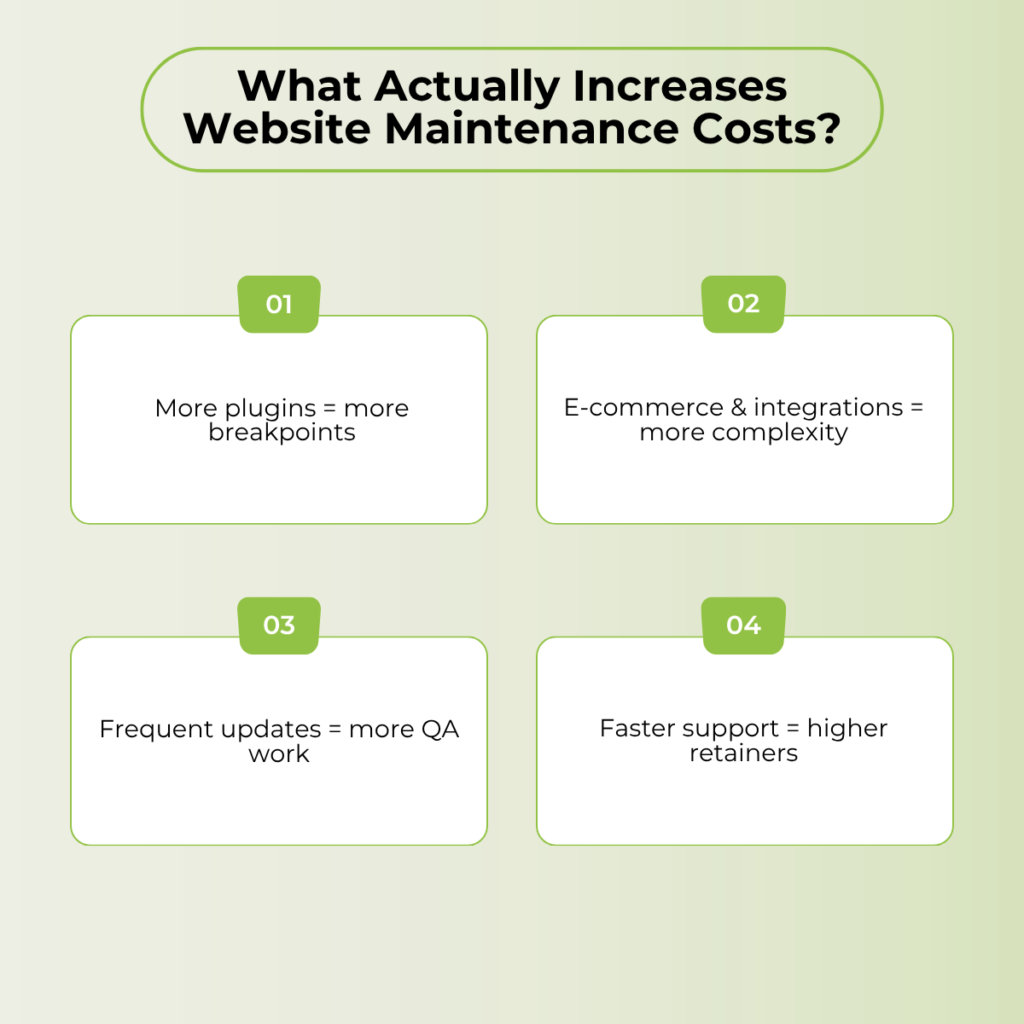
Before looking at any website management cost tires, understand what makes one site cost $100 a month to maintain and another $2,000.
There are 4 factors that control nearly every maintenance quote you’ll see.
- Your Platform and Its Plugin Ecosystem
A WordPress site running 25 plugins is a fundamentally different maintenance job than a Webflow build or a static HTML site. Every plugin introduces a compatibility layer. Each one needs testing after updates, monitoring for conflicts, and patching when vulnerabilities surface.
More plugins mean more update cycles, more potential breakpoints, and more hours. That’s the first cost multiplier most business owners overlook. A lean site with five well-chosen plugins costs less to maintain than a bloated one with thirty, even if the sites look identical to visitors.
- Site Complexity and What Runs on It
A brochure site with five pages and a contact form is simple. Add e-commerce (payment gateways, inventory sync, checkout flow testing, PCI compliance), and the maintenance surface area expands significantly.
Membership portals, booking engines, CRM integrations, and third-party API connections each add monitoring and troubleshooting requirements. Every functional layer your site depends on can break, and each one needs someone watching it.
- How Often Does Your Content and Functionality Change
A site updated once a quarter needs far less oversight than one that publishes weekly blog posts, rotates landing pages, or runs seasonal promotions. Regular content changes mean more QA cycles, more broken-link checks, and more CMS stability management.
If your site is mostly static, your maintenance needs are lower. If it’s a living, active part of your marketing operation, budget accordingly.
- The Response Time and SLA You Need
This is the biggest lever in maintenance pricing, and most business owners underestimate it.
Next-business-day response is cheap. Same-day response costs more. A two-hour response for critical issues costs significantly more. The question isn’t what you’d prefer. It’s the cost of downtime to your business per hour. If your site generates revenue while it’s live, the cost of downtime determines how much you should spend on response time.
What Businesses Typically Pay for Website Maintenance in 2026
Here’s what managed website maintenance costs across common business types. These are ranges for professional, human-managed plans, not DIY tool subscriptions.
| Business Type | Typical Monthly Range | What Drives the Cost |
| Small brochure or service site | $150 to $200/month | Few pages, low traffic, minimal functionality. Maintenance is mostly updates, backups, and monitoring. |
| Active small business site (blog, forms, moderate traffic) | $300 to $500/month | Regular content changes, more plugins, and a need for faster response. This is where most small businesses land. |
| E-commerce store | $300 to $1,500/month | Payment processing, inventory systems, checkout testing, PCI compliance, and higher security requirements. |
| Mid-market or enterprise site | $2000+/month | Custom integrations, multi-site management, complex functionality, dedicated support, and strategy consulting. |
The range within each row depends on the factors above. A small e-commerce store with 50 products and standard WooCommerce lands closer to $300. A multi-vendor marketplace with custom checkout flows and third-party logistics integration lands closer to $1,500 or beyond.
What a Website Maintenance Plan Should Include at Every Price Point
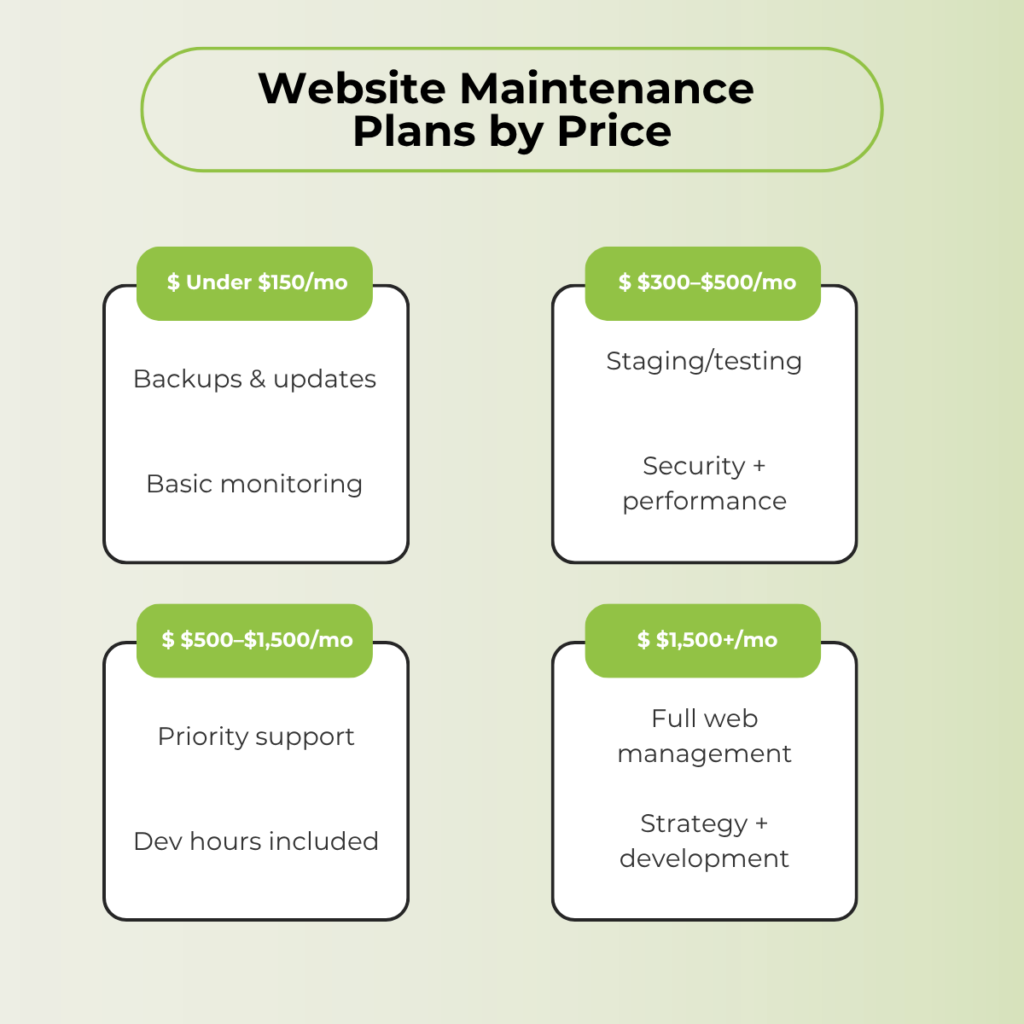
You’ll see that every service provider out there is selling their own packages. But you should know what you’ll get in a specific price range. It’ll help you evaluate each package being offered.
Plans Under $150 Per Month
What you should get: automated daily backups, CMS and plugin updates (tested before deployment, not auto-pushed blindly), basic uptime monitoring, SSL certificate renewal, and email-based support.
What you should not expect: dedicated development hours, priority response times, proactive performance optimization, or SEO reporting. At this price point, you’re paying for upkeep, not improvement.
Who is the best fit for this plan: brochure sites, personal sites, low-traffic blogs, and any business site that rarely changes and doesn’t process transactions.
Plans Between $300 and $500 Per Month
What you should get: everything above, plus human-verified updates with staging environment testing, real-time security monitoring with malware cleanup, monthly performance checks, one to two included development hours, and same-day response for critical issues.
This is where most active small business websites should land. The gap between $300 and $500 within this tier comes down to two things: how many development hours are included and how fast the provider commits to responding when something breaks.
Plans Between $500 and $1,500 Per Month
What you should get: everything above, plus three to eight development hours per month, a dedicated account contact (not a rotating support inbox), proactive recommendations for site improvements, priority support queue, and advanced performance tuning.
Who this fits: e-commerce stores, businesses with custom integrations, membership sites, and any operation where the website generates measurable revenue from traffic.
At this level, the plan should feel like having a part-time web team on retainer. If you’re paying $800 a month and still submitting tickets into a generic queue with three-day response times, something is off.
Plans Above $1,500 Per Month
What you should get: full-service website management, significant development hours (ten or more monthly), strategy consulting alongside maintenance, first-priority response, custom development capacity, and multi-site management if applicable.
Who this fits: mid-market and enterprise operations, agencies managing client site portfolios, and high-traffic sites with complex functionality requiring ongoing development.
If you’re paying more than $1,500 per month and not receiving proactive strategy recommendations alongside the technical maintenance, question the arrangement. At this price, you’re not just buying upkeep. You’re buying a team that treats your site’s performance, growth, and technical health as ongoing concerns.
What “Included Development Hours” Can Realistically Accomplish
This is the line item that separates tiers, and the one buyers understand least. Every plan comparison jumps from “zero hours” to “three hours” to “eight hours” without explaining what those hours can do in practice.
- One hour per month covers minor content changes, a plugin conflict fix, or one small layout adjustment. It’s enough if your site is stable and you rarely need changes beyond routine updates.
- Three hours per month gets you a new landing page section, a form rebuild, a third-party tool integration, or a focused performance optimization pass. This covers most of the active small-business needs without constantly bumping against the limit.
- Eight or more hours per month opens the door to feature builds, significant design changes, conversion optimization testing, and ongoing development work. This is continuous improvement territory, not just maintenance.
One thing worth asking before you sign any plan: Do unused hours roll over? Many providers treat unused development hours as forfeited at the end of the month. That’s a quiet profit center. If you’re paying for three hours monthly and averaging one, you’re subsidizing hours you never use. Ask about rollover policies up front, or consider a lower tier with ad hoc billing for extra work.
Pricing Traps That Inflate Your Maintenance Bill
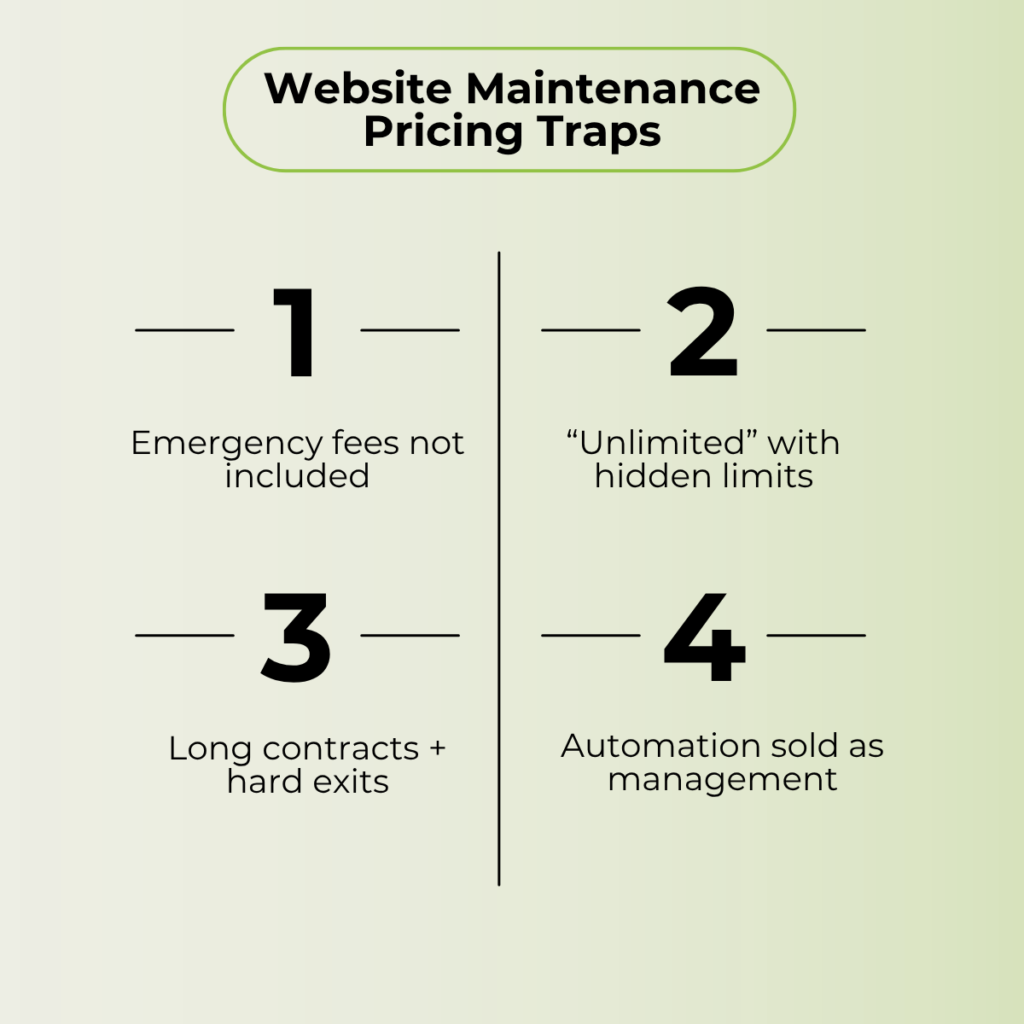
The fair price range is half the picture. The other half is what to watch for in the billing structure itself.
Emergency Fees on Top of Monthly Plans
Some maintenance plans exclude emergency response entirely. Your site crashes at 2 AM on a Saturday, and you get hit with a $200-$500 incident fee on top of your monthly rate.
Before signing, ask one question: Is emergency response included in the plan, or billed separately? If it’s separate, find out what qualifies as an “emergency” in their terms. Some providers define it narrowly enough that most real emergencies don’t qualify for the included support tier.
“Unlimited Updates” with Scope Limits in the Fine Print
“Unlimited” is a marketing word, not a service guarantee. In most maintenance contracts, “unlimited updates” means unlimited small text and image changes. Anything involving code modifications, layout restructuring, or plugin customization falls outside that scope and triggers additional billing.
Ask specifically: which types of requests are included, and what triggers extra charges? Get it in writing. The difference between “unlimited” and “unlimited within a defined scope” is where surprise invoices come from.
Annual Contracts with Unclear Exit Terms
Annual prepayment discounts of 10 to 20 percent are standard across the industry. But the cancellation clause matters more than the discount.
What happens if you leave at month five? Do you forfeit the remaining months? Is there an early termination penalty? And critically: who owns the work completed under the plan? If the provider built a landing page or configured a new integration during your included hours, do you keep that work if you leave?
Read the contract before the discount persuades you.
Automation Billed as Managed Service
This is the most common gap between price and value in website maintenance.
A plugin that runs automated backups and pushes CMS updates without human review is not “managed maintenance.” It’s software running on a schedule. The value of a managed plan is that a human being reviews your site, tests updates in a staging environment, catches conflicts before they hit your live site, and responds when something breaks.
If your provider can’t tell you what a human reviewed on your site this month, you’re paying managed-service prices for a set of automated scripts.
That’s the single biggest source of overpaying in this market.
How to Audit What You’re Paying Against What You’re Getting
Whether you’re evaluating a new plan or questioning your current one, this five-step check takes ten minutes and tells you everything you need to know.
- Step 1. Pull up what your plan says it includes. Check the contract, the sales page, or whatever documentation you received when you signed up.
- Step 2. Ask your provider for last month’s maintenance report. What was done, when, and by whom?
- Step 3. Compare the two lists. If the report is vague (“performed routine maintenance”), automated (generic system-generated logs), or missing items your plan promises, you have a gap between what you’re paying for and what you’re receiving.
- Step 4. Check whether you’re using your included development hours. If you’ve consistently used zero of your three included hours for six months, you may be on a higher tier than your site needs. Drop down and pay for ad-hoc hours when you need them.
- Step 5. Price-check two to three competitors in your tier. If the included scope is similar but the price is 30 percent or more higher, you’re likely overpaying for the same work.
One more thing. If your provider doesn’t produce a monthly maintenance report at all, that’s the first red flag. Not the pricing. A provider that can’t show you what they did last month can’t demonstrate the value of what you’re paying for this month.
You Might Have These Questions About Website Maintenance Costs
DIY is cheaper in dollars if your time has no cost. For a simple brochure site, you can handle backups and updates yourself for under $50 a month in tool subscriptions. For anything with e-commerce, custom functionality, or meaningful traffic, the risk of getting something wrong usually costs more than a managed plan would.
Because “maintenance” means different things to different providers. One charges $99 a month for automated plugin updates and a daily backup script. Another charges $299 a month for human-tested updates, staging environments, real-time monitoring, and included development hours. Same label. Very different service.
Most small businesses with active websites should budget $2,000 to $6,000 per year for managed maintenance. That works out to roughly $150 to $500 monthly, depending on site complexity and required response time.
Annual plans typically save 10 to 20 percent over monthly billing. But read the cancellation terms first. If the provider locks you in with no exit clause or penalizes early cancellation heavily, the discount may not be worth the risk. Month-to-month costs more but gives you the flexibility to leave if the service falls short.
Human labor. Developer time spent on troubleshooting, testing updates, building new features, and responding to incidents is where the real cost lies. Hosting, domains, and SSL certificates are relatively cheap. The people who keep the site running and improving are what you’re paying for at every tier above the basic automated plans.
Yes, but you don’t need an expensive one. Even a static site needs security monitoring, backup systems, CMS and plugin updates, and SSL renewal. A basic plan under $150 a month covers those essentials. You don’t need development hours or priority response for a site that rarely changes, so don’t pay for them.
Website Maintenance Should Be an Investment, Not An Expense
Website maintenance isn’t a cost line you minimize. It’s insurance on the revenue your website generates. Every dollar spent on proactive upkeep replaces a larger dollar that would go to emergency fixes, lost sales during downtime, or breach recovery.
All you need to know is what your site requires, and then estimate how much you can easily afford to invest monthly.
If you want that investment managed by a team that understands the business side and also is an expert in managing websites, we’ve got you. Book a call and let’s discuss your website management.
